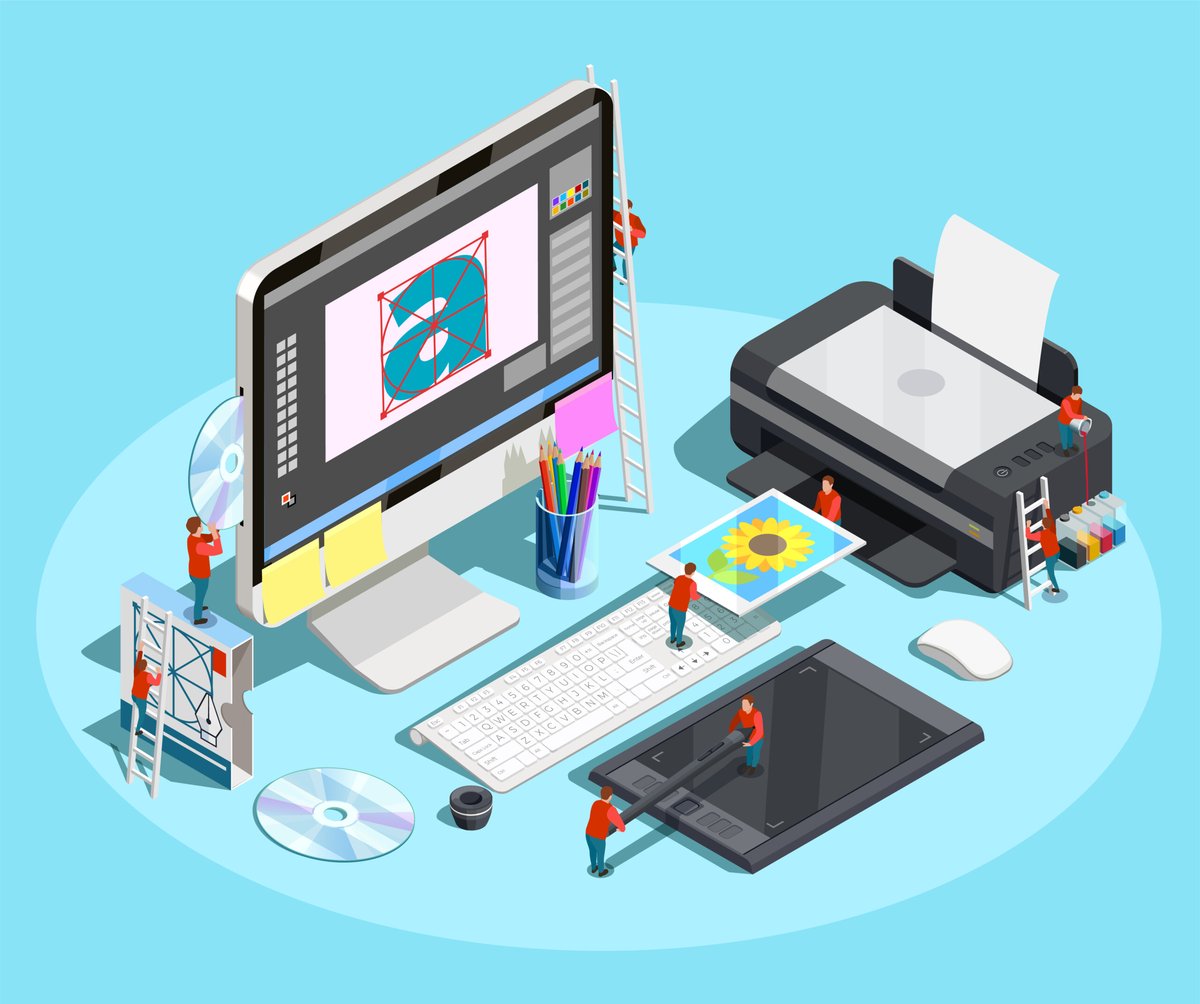
In today's visually-driven world, your message often lives or dies by its design. From crafting a compelling social media post to designing an immersive website, or even simply editing a photo to perfection, the right Graphic Design & Visuals Editing software isn't just a tool—it's your superpower. But with a marketplace overflowing with options, how do you find the one that truly empowers your creative vision?
This comprehensive guide cuts through the noise, offering an expert's take on the top graphic design software for 2025. Whether you're an aspiring artist, a marketing pro, or a seasoned designer, we'll help you navigate the features, price tags, and learning curves to pick a tool that fits your specific needs and budget.
At a Glance: What You'll Learn About Graphic Design & Visuals Editing Software
- Understanding Your Needs: How to assess if you need vector, raster, or layout tools.
- Top-Tier Professional Suites: A deep dive into Adobe's industry-standard offerings and powerful alternatives.
- Digital-First Design: Software specifically tailored for UI/UX, web, and app interfaces.
- Beginner-Friendly & Online Solutions: Easy-to-use platforms for quick, impactful visuals.
- Free & Open-Source Gems: Powerful, no-cost options for every type of designer.
- Specialized Tools: Niche software for unique graphic design tasks.
- Making the Right Choice: Key considerations for budget, complexity, and collaboration.
Why the Right Tools Matter (and How to Pick Them)
Imagine trying to sculpt a marble statue with a spoon. You might make some progress, but it would be an agonizing, inefficient process. The same holds true for graphic design. The right software transforms your ideas into reality efficiently, precisely, and with professional polish.
Graphic design software essentially falls into a few key categories, often defined by the type of visual content they manipulate:
- Vector Illustration: Perfect for logos, illustrations, icons, and anything that needs to scale infinitely without losing quality. Think crisp lines and shapes, defined by mathematical equations.
- Raster (Photo) Editing: Ideal for photographs, digital paintings, and complex images made of pixels. These tools excel at manipulation, retouching, and detailed artistic work.
- Layout Design (Desktop Publishing): Essential for multi-page documents like magazines, books, brochures, and interactive PDFs, focusing on text and image arrangement.
Before you dive into the myriad of options, take a moment to consider these crucial decision criteria: - Your Budget: Are you willing to pay a monthly subscription, a one-time fee, or do you need a completely free solution? Many paid tools offer free trials, which are highly recommended for testing the waters.
- Complexity of Your Designs: Are you making simple social media graphics or intricate illustrations, detailed photo manipulations, or professional multi-page layouts?
- Collaboration Needs: Will you be working alone, or do you need features for real-time team collaboration and sharing?
- Specific Workflow: Do you primarily focus on branding and vector assets, or are you a photographer needing robust raster editing? Perhaps you're building websites and need UI/UX specific tools.
Let's explore the best tools, categorized to help you find your perfect match.
The Titans: Adobe Creative Cloud Suite – Industry Standards for a Reason
Adobe's suite is often considered the benchmark for professional graphic design, offering a powerful ecosystem of interconnected tools. While they come with a subscription cost, their capabilities are virtually unmatched.
Adobe Photoshop: The Digital Artist's Canvas
Often synonymous with image editing, Adobe Photoshop is a powerhouse for advanced photo manipulation and digital artistry. It excels at raster graphics (pixel-based images) but also incorporates robust vector capabilities, making it incredibly versatile.
- Best For: Photographers, digital painters, web designers, UI designers, anyone creating banners, posters, website mockups, or intricate digital artwork.
- Key Features: Advanced retouching, compositing, custom brushes, 3D capabilities, extensive canvas control, non-destructive editing, and a vast ecosystem of plugins. Its blend of raster and vector workflows means you can seamlessly integrate different design elements.
- Learning Curve: Moderate to steep, but countless tutorials and resources are available.
- Cost: Approximately $37.99/month (single app).
Adobe Illustrator: The Vector Virtuoso
If you need a logo that looks sharp on a billboard or a business card, Adobe Illustrator is your go-to. This industry-standard vector graphics editor allows you to create scalable artwork, meaning your designs will always look crisp, no matter how large or small they are printed or displayed.
- Best For: Professional logo designers, illustrators, iconographers, typographers, and anyone creating brand assets, infographics, or print materials that require precision and scalability.
- Key Features: Tools for creating and manipulating vector shapes, paths, and text; advanced typography controls; an AI-powered Generative Recolor tool to quickly experiment with color palettes; artboards for multi-asset projects.
- Learning Curve: Steep, especially for those new to vector concepts, but it provides templates to help beginners get started.
- Cost: Approximately $37.99/month (single app).
Adobe InDesign: The Layout Master
For anything that combines text, images, and graphics into a cohesive, multi-page document, Adobe InDesign is the undisputed champion. It's built for desktop publishing and ensures your layouts are print-ready and visually appealing.
- Best For: Magazine designers, book publishers, marketing professionals creating brochures, flyers, interactive PDFs, and presentations.
- Key Features: Precise text and image arrangement, 'adjust layout' for responsive design across different page sizes, Sensei AI technology for smart image fitting, robust collaboration features via InCopy and Creative Cloud Libraries.
- Learning Curve: Relatively low for beginners focused on basic layouts, though mastering its full capabilities takes time.
- Cost: Approximately $37.99/month (single app).
Smart Alternatives: Professional Power Without the Premium Price Tag
For designers seeking professional-grade tools without the monthly subscription commitment of Adobe, several powerful alternatives offer similar functionality at a more budget-friendly price point.
Affinity Designer: A Versatile Vector Powerhouse
Often hailed as a direct competitor to Illustrator, Affinity Designer offers a compelling package for a one-time purchase. It's particularly appealing for early-stage designers or those wanting to avoid subscriptions.
- Best For: Vector illustrators, graphic designers, UI designers, and anyone needing a robust vector tool with excellent performance.
- Key Features: Smooth performance at 60fps, the unique ability to switch between vector and raster workspaces within the same app, unlimited artboards, customizable grids, and floating-point accuracy. Available on Mac, Windows, and iPad.
- Cost: 30-day free trial, then a one-time purchase of $69.99 (Mac/Windows) or $18.49 (iPad).
Affinity Photo: Feature-Rich Photo Editing
Like its sibling, Affinity Photo positions itself as a strong, affordable alternative to Photoshop. It's a lightweight yet powerful raster editor packed with professional features.
- Best For: Photographers, retouchers, digital artists, and graphic designers who frequently work with raster images and require advanced photo manipulation.
- Key Features: Real-time editing, 360-degree image editing, panoramic stitching, HDR merge, RAW image processing, and a robust set of raster and some vector tools.
- Cost: 30-day free trial, then a one-time purchase.
CorelDRAW Graphics Suite: Advanced Vector & More
CorelDRAW Graphics Suite is a long-standing player in the vector illustration space, offering comprehensive tools for various design projects, including logos, web graphics, and print materials.
- Best For: Experienced vector illustrators, graphic designers, and businesses that need a full suite for branding and marketing collateral.
- Key Features: Advanced vector illustration tools, AI technology for features like LiveSketch (converting hand-drawn sketches to vector curves), bundled Photo-Paint for photo editing, and Font Manager for typography. Available for Windows and Mac.
- Cost: Available for a one-time purchase or annual subscription.
Crafting Digital Experiences: Top Tools for UI/UX and Web Design
The digital landscape demands specialized tools for designing user interfaces (UI) and user experiences (UX). These programs prioritize prototyping, collaboration, and creating responsive designs for screens.
Sketch: The Mac-Native UI/UX Hub
For Mac users, Sketch has been a staple in the digital design world, primarily focused on crafting interfaces for websites, apps, and other digital products. It's not designed for photo editing or print work.
- Best For: UI/UX designers, web designers, app developers, and product designers working within the Apple ecosystem.
- Key Features: Prototyping capabilities, robust collaboration tools, smart layouts, artboards, and a vast array of plugins for extending functionality and precise vector editing.
- Cost: Offers a 30-day free trial, then a subscription model.
Figma: The Collaborative Powerhouse
Figma has rapidly become a favorite for its unparalleled online collaboration features, allowing multiple designers to work on the same file in real-time, regardless of their operating system.
- Best For: UI/UX teams, web designers, product teams, and anyone needing a powerful vector illustration and prototyping tool with strong collaborative capabilities.
- Key Features: Web-based (works in browser), vector illustration tools, extensive customization options, support for private plugins, and robust prototyping features.
- Cost: Free plan available; paid plans start at $12/month per editor for advanced features.
Lunacy: Free Vector for Digital Design
A surprisingly robust and free option, Lunacy is a vector design tool specifically geared towards UI, UX, and web design. It offers a rich feature set, especially for a no-cost application.
- Best For: UI/UX designers, web designers, freelancers, and students looking for a free, powerful tool that can handle Sketch files.
- Key Features: Available for Mac, Windows, and Linux; thousands of in-app assets (icons, illustrations, photos); AI-powered tools (background remover, image upscaler, avatar/text generators); works offline; natively handles .sketch files; supports online collaboration for up to 10 editors.
- Cost: Free.
Your First Strokes: Online & Beginner-Friendly Graphic Design Tools
Not everyone needs a professional-grade suite. For quick, effective visual communication, especially for social media, marketing, or personal projects, these online and beginner-friendly tools are perfect.
Canva: Design Made Simple
Canva revolutionized graphic design for non-designers, making it incredibly easy to create professional-looking visuals with its intuitive drag-and-drop interface.
- Best For: Small business owners, marketers, social media managers, students, and anyone needing to create quick, impactful designs without extensive design experience.
- Key Features: Drag-and-drop editor, extensive library of templates, fonts, and stock images (many free), available as an app and online. Paid tiers unlock advanced features and more assets.
- Cost: Free plan available; paid tiers for Pro features.
Visme: Interactive Visual Content Creation
Visme is more than just a graphic design tool; it's a platform for creating interactive visual content across a wide range of categories, from presentations to social media images.
- Best For: Marketers, educators, businesses, and content creators looking to make engaging, animated, and interactive infographics, presentations, and documents.
- Key Features: Drag-and-drop editor, hundreds of templates, advanced animation and interactivity features, data visualization tools.
- Cost: Free plan is limited; paid plans start around $12.25/month.
Mega Creator: Build Your Own Graphics from Elements
For designers who want to assemble unique visuals from pre-made components, Mega Creator offers a DIY approach, allowing users to mix and match elements to build custom graphics.
- Best For: Web/mobile app designers, marketers, content creators, and students who need to quickly build unique visuals from existing assets without starting from scratch.
- Key Features: Customize illustrations, craft photos, and combine diverse assets, no special design skills required.
- Cost: Subscription-based.
Genially: Engage with Interactive Designs
If interactivity and animation are key to your content, Genially is an all-in-one online tool that helps you create engaging experiences rather than just static images.
- Best For: Educators, marketers, and content creators who want to build interactive infographics, presentations, quizzes, and social media content.
- Key Features: Thousands of templates, integration with image libraries (Unsplash, Giphy, Pixabay), allows adding interactivity, animation, and various media insertions.
- Cost: Offers unlimited creations for free users; paid plans unlock more features.
Vectr: Free Vector for Simple Graphics
Vectr provides a straightforward, free solution for creating 2D vector graphics, both online and as a desktop application. It's excellent for basic vector needs.
- Best For: Beginners, small businesses, and anyone needing to create simple logos, business cards, or other vector graphics that require scalability.
- Key Features: Uses mathematical equations (not pixels) to retain quality upon scaling, offers detailed guides for learning.
- Limitation: Cannot import files from other programs easily.
- Cost: Free.
VistaCreate: Dynamic Designs for Social & Web
Similar to Canva, VistaCreate offers an intuitive online platform for creating a variety of content, with a strong focus on social media and animated designs.
- Best For: Social media managers, content creators, and small businesses who need to produce engaging social media, web, print, and ad content quickly.
- Key Features: Intuitive editor, large template library, 10,000 animated objects, background removal tool, and one-click resizing.
- Cost: Offers a free option (with a 30-day trial for Pro features) and a Pro plan for unlimited downloads.
Pixlr: Quick Web-Based Photo Editing
Pixlr is a popular free, web-based photo editor that provides a surprising amount of functionality, making it a good choice for quick edits and manipulations without downloading software.
- Best For: Casual users, social media enthusiasts, and anyone needing to perform quick photo edits, collage creation, or graphic design tasks online.
- Key Features: Supports various formats including SVG and PSD.
- Cost: Free version is ad-supported; paid plan removes ads.
Colorcinch: Simple Photo Editor with Graphic Design Flair
For a simple yet feature-rich online photo editor, Colorcinch stands out. It's incredibly easy to use while offering a wide array of effects and graphic design elements.
- Best For: Beginners, casual users, and anyone looking for quick photo edits, applying artistic effects, or creating simple graphics without hassle.
- Key Features: Specialty effects (like cartoonizer), extensive libraries of filters, effects, and graphics. No registration required.
- Cost: Free.
PixTeller: Effortless Graphics and Animations
PixTeller is designed for users who want to create graphic images and animations quickly and easily, without needing any technical or design knowledge.
- Best For: Marketers, bloggers, and small business owners who need to generate engaging visuals (PNG, JPG, PDF) and animations (MP4, GIF) from scratch or templates.
- Cost: Subscription-based.
Design Wizard: Curated Templates and Integrations
With a vast library of curated images and templates, Design Wizard offers a user-friendly online platform for creating various graphic designs, especially for marketing.
- Best For: Marketers, businesses, and content creators who need access to a large library of pre-made designs and integrations with marketing platforms.
- Key Features: Over a million curated images, 15,000+ templates, integrates with Hubspot, Marketo, and Buffer.
- Cost: Free and paid tiers available.
Free & Mighty: Open-Source and No-Cost Powerhouses
For those with tight budgets or a preference for open-source philosophy, these tools offer professional-level capabilities without the price tag. They often come with supportive communities that drive their development.
GIMP (GNU Image Manipulation Program): The Free Photoshop
Often referred to as the "free Photoshop," GIMP is a powerful open-source raster graphics editor. It's incredibly versatile for photo manipulation, image retouching, and digital painting.
- Best For: Photographers, digital artists, web designers, and anyone needing robust raster editing capabilities without a subscription.
- Key Features: Supports image retouching, creative composites, designing interface components, icons, and logos. Compatible with PSD files and backed by a strong community that allows source code modification.
- Platforms: Windows, Linux, and Mac OS.
- Cost: Free.
Inkscape: Open-Source Vector Excellence
If Illustrator's price tag is a barrier, Inkscape offers a compelling, free, and open-source alternative for vector illustration. It's particularly strong with the SVG format.
- Best For: Graphic designers, illustrators, web designers, and anyone needing flexible drawing tools for logos, icons, and scalable graphics.
- Key Features: Flexible drawing tools, powerful text tool, cross-platform compatibility, excels at SVG format, and can import AI and CorelDRAW files. Great for collaboration due to its open-source nature.
- Cost: Free.
Gravit Designer: Versatile Free Vector
Gravit Designer is a free, vector-based design software that's highly customizable and capable of handling logos, photo editing (to some extent), animations, and illustrations.
- Best For: Vector artists, graphic designers, and illustrators looking for a versatile, free tool.
- Key Features: Highly customizable interface, capable of various design tasks.
- Limitation: The free plan lacks an offline version. A paid Pro version offers advanced features.
- Cost: Free; Pro version available for purchase.
Krita: Digital Painting Specialist
While many tools offer painting features, Krita is specifically designed for digital painting and animation, making it a favorite among concept artists and illustrators.
- Best For: Digital painters, concept artists, animators, and illustrators who need a dedicated tool for creative artwork.
- Key Features: Robust brushes, vector tools, brush stabilizers for smooth lines, and a helpful forum community.
- Cost: Free.
Niche Needs & Specialized Solutions: Tools for Specific Tasks
Sometimes, you need a tool built for a very specific purpose. These specialized options cater to unique workflows and design requirements.
DocHipo: Design for Marketers
DocHipo is tailored for marketers, content creators, and entrepreneurs who need to quickly churn out professional-looking marketing collateral without extensive design skills.
- Best For: Marketers, content creators, and business owners needing to create posters, flyers, brochures, social media graphics, and ads efficiently.
- Key Features: Thousands of templates, exclusive design assets, one-click background removal, multi-dimensional resizing, integrations with YouTube, MailChimp, and social media, real-time collaboration.
- Cost: Subscription-based.
Eagle: Your Digital Asset Command Center
For designers and artists juggling countless files, Eagle is a digital asset management software that helps you collect, search, and organize all your design inspirations and work.
- Best For: Designers, concept artists, illustrators, and anyone who needs to manage and organize a large library of images, videos, fonts, and design files.
- Key Features: Collects files in any format, powerful search, organizing with folders, tags, and customizable layouts.
- Cost: One-time purchase.
Flipsnack: Interactive Digital Publishing
Flipsnack focuses on transforming static PDFs into interactive, shareable flipbooks and brochures, perfect for engaging marketing materials. It's not a heavy-duty graphics editor but a publishing tool.
- Best For: Marketers, publishers, and businesses looking to create interactive catalogs, magazines, and brochures.
- Key Features: Drag-and-drop studio, templates, robust privacy options.
- Limitation: Not for heavy graphic design tasks.
- Cost: Subscription-based.
Xara Designer Pro+: All-in-One Creative Power
Xara Designer Pro+ aims to be a comprehensive solution, combining bitmap and vector capabilities for a wide range of tasks from desktop publishing to illustration and photo editing.
- Best For: Designers looking for a single application to handle vector graphics, bitmap editing, and desktop publishing.
- Key Features: Numerous templates, design elements, archive photos, maintains quality when scaling vector elements.
- Cost: Subscription-based.
Infinite Design: Vector Art on Mobile
For designers on the go, Infinite Design brings sophisticated vector graphic creation to Android and iOS devices, allowing for complex artwork wherever you are.
- Best For: Mobile artists, illustrators, and designers who prefer working on tablets or smartphones.
- Key Features: Infinite canvas, multiple symmetry types, unlimited layers, advanced editing tools.
- Cost: Free with advanced features requiring purchase.
Procreate: iPad's Artistic Phenomenon
For iPad users, Procreate is the gold standard for digital painting and illustration, offering a natural and intuitive experience that mimics traditional art.
- Best For: Digital painters, illustrators, and artists who primarily work on an iPad and seek a powerful, intuitive creative canvas.
- Key Features: Extensive brush library, customizable brushes, layers, animation assist, time-lapse recording.
- Cost: One-time purchase.
Making the Final Cut: Your Personalized Software Selection Guide
Choosing the "best" graphic design software isn't about finding a universally superior tool; it's about finding the right tool for you. As you consider your options, revisit those core decision criteria:
- What's Your Core Task?
- Logos, Icons, Illustrations, Branding: Adobe Illustrator, Affinity Designer, Inkscape, Vectr, Lunacy, Gravit Designer.
- Photo Editing, Retouching, Digital Painting: Adobe Photoshop, Affinity Photo, GIMP, Krita, Procreate.
- Magazines, Books, Brochures, PDFs: Adobe InDesign, Xara Designer Pro+.
- UI/UX, Web, Apps: Sketch, Figma, Lunacy, Adobe XD (not detailed here but a strong contender).
- Quick Social Media, Marketing Visuals: Canva, Visme, VistaCreate, Genially, DocHipo, PixTeller.
- Your Budget: Don't underestimate the power of free tools like GIMP, Inkscape, and Lunacy, especially if you're just starting. Affinity products offer professional-grade capabilities with a one-time purchase. Adobe products are industry standards but require a monthly subscription, which can be worthwhile for professionals who use multiple apps.
- Your Operating System: Some tools are platform-specific (e.g., Sketch for Mac, Procreate for iPad), while others offer cross-platform compatibility (Adobe, Affinity, Figma, GIMP, Inkscape).
- Learning Curve vs. Time Savings: While tools like Canva offer instant results, investing time in learning more complex software like Photoshop or Illustrator will unlock deeper creative control and professional output. Most paid software options provide free trials – take advantage of them! Experiment with a few top contenders before committing.
Beyond the Software: The Designer's Journey Continues
While powerful software is a critical component of successful graphic design, it's merely a conduit for your creativity and skill. Developing a strong understanding of design principles, color theory, typography, and composition will elevate your work regardless of the tools you use.
For designers looking to build a career, presenting your work effectively through an online portfolio is paramount. Continuous learning, experimenting with new techniques, and engaging with the design community will keep your skills sharp and your ideas fresh. To dive deeper into various aspects of digital creation and refine your approach, you might want to Explore all editing topics to further expand your skillset and understanding. The world of graphic design is constantly evolving, and the journey of mastering its tools and techniques is an exciting one.